Using a virtual Mastercard to PayPal has become a popular way to make secure online payments without exposing a physical card. Digital cards give users more control, faster setup, and safer transactions. If you plan to connect your virtual Mastercard to PayPal, this guide explains what works, what does not, and exactly how to link your card step by step.
What You Need to Know About Connecting a Virtual Mastercard to PayPal
A virtual Mastercard behaves like any regular card, which makes it easy to link your virtual Mastercard to PayPal for everyday purchases, merchant payments, and account verification. Many users prefer virtual cards because they keep online spending separate from their main accounts and offer quick access to international payments. You can use this setup worldwide as long as your card has a balance and supports online transactions.
What a Virtual Mastercard Can and Cannot Do With PayPal
When using a virtual Mastercard to PayPal, you gain access to a flexible payment method that works across thousands of online platforms. Once the card is verified, you can use it to complete purchases, pay merchants, subscribe to digital services, and verify your PayPal account whenever PayPal requires an active funding source. It functions much like a regular debit card, which makes it ideal for users who want safe and separate spending control for online transactions.
However, a virtual Mastercard to PayPal setup also has clear limitations. PayPal rarely allows withdrawals to virtual or prepaid cards, so you should not expect to move PayPal balance back onto your virtual Mastercard. Some issuers also limit recurring payments or hold additional checks before approving subscription charges. These restrictions do not affect normal purchases but they matter for long-term billing. Overall, your virtual Mastercard is best used for secure payments, quick verifications, and controlled online spending through PayPal.
Before You Start: What You Need
You only need a few things before linking your virtual Mastercard to PayPal. This includes an active card, a small balance for verification, the correct billing address, and access to the issuer’s dashboard to view the temporary verification charge.
Link a Virtual Mastercard to PayPal
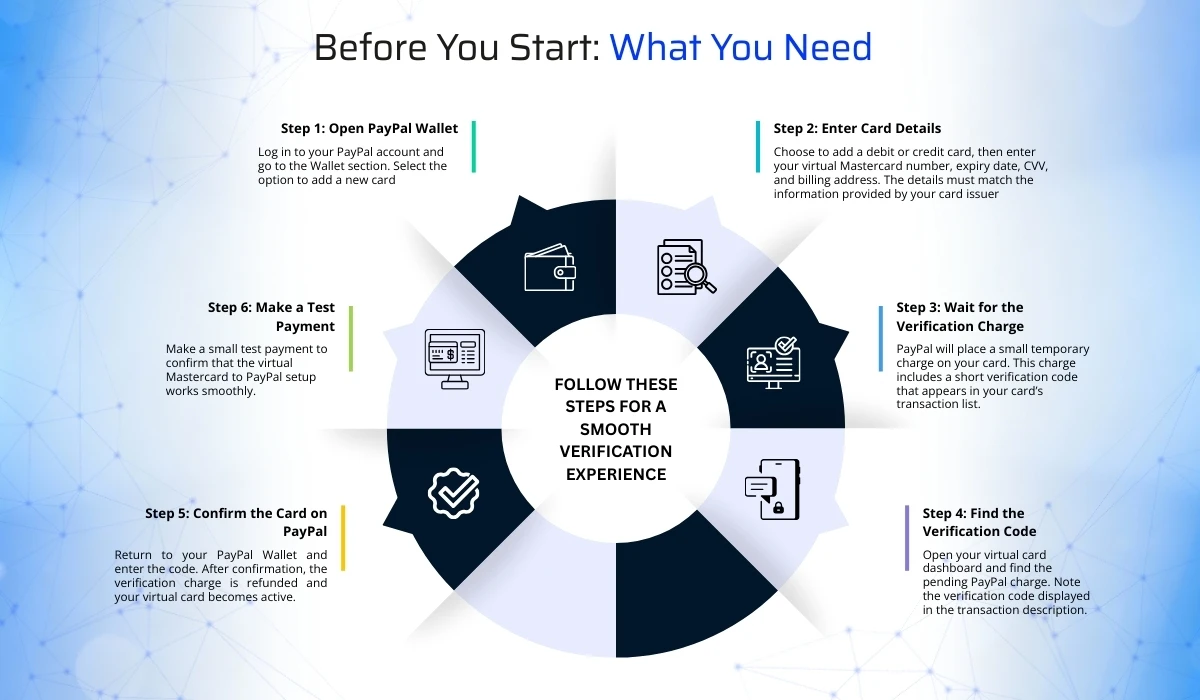
Follow these steps for a smooth verification experience.
Step 1: Open PayPal Wallet
Log in to your PayPal account and go to the Wallet section. Select the option to add a new card.
Step 2: Enter Card Details
Choose to add a debit or credit card, then enter your virtual Mastercard number, expiry date, CVV, and billing address. The details must match the information provided by your card issuer.
Step 3: Wait for the Verification Charge
PayPal will place a small temporary charge on your card. This charge includes a short verification code that appears in your card’s transaction list.
Step 4: Find the Verification Code
Open your virtual card dashboard and find the pending PayPal charge. Note the verification code displayed in the transaction description.
Step 5: Confirm the Card on PayPal
Return to your PayPal Wallet and enter the code. After confirmation, the verification charge is refunded and your virtual card becomes active.
Step 6: Make a Test Payment
Make a small test payment to confirm that the virtual Mastercard to PayPal setup works smoothly.
Troubleshooting Common Problems
When linking your virtual Mastercard to PayPal, you may face a few common issues that are easy to fix once you know what to look for. The most frequent problem is a declined card. This usually happens when the billing address on your virtual card does not match the address you enter in PayPal. Make sure the details are identical, including spelling, spacing, and ZIP or postal codes. Another cause is insufficient balance. Even though PayPal only places a small temporary charge, your card must have enough funds to complete that verification. Adding a small amount often solves the issue immediately.
Some users also experience problems because their card issuer does not show pending transactions. PayPal includes its verification code inside the pending charge, so you need a provider that displays transaction descriptions clearly. If you cannot see the code, verification will stall. Finally, certain virtual cards do not support recurring payments, which can cause subscription checks to fail. In this case, your card will still work for one-time purchases, but it may not pass authorization for ongoing billing.
Recurring Payments and Subscriptions
You can use your virtual Mastercard for one-time payments, but recurring payments depend on the issuer. If you need the card for subscriptions, make sure the virtual Mastercard supports recurring authorization.
Withdrawals and Transfers
You can use the card to pay, but you cannot generally transfer money from PayPal to a virtual or prepaid Mastercard. PayPal withdrawals are usually limited to supported bank accounts or eligible debit cards.
Security Tips: During virtual Mastercard to PayPal Transfer
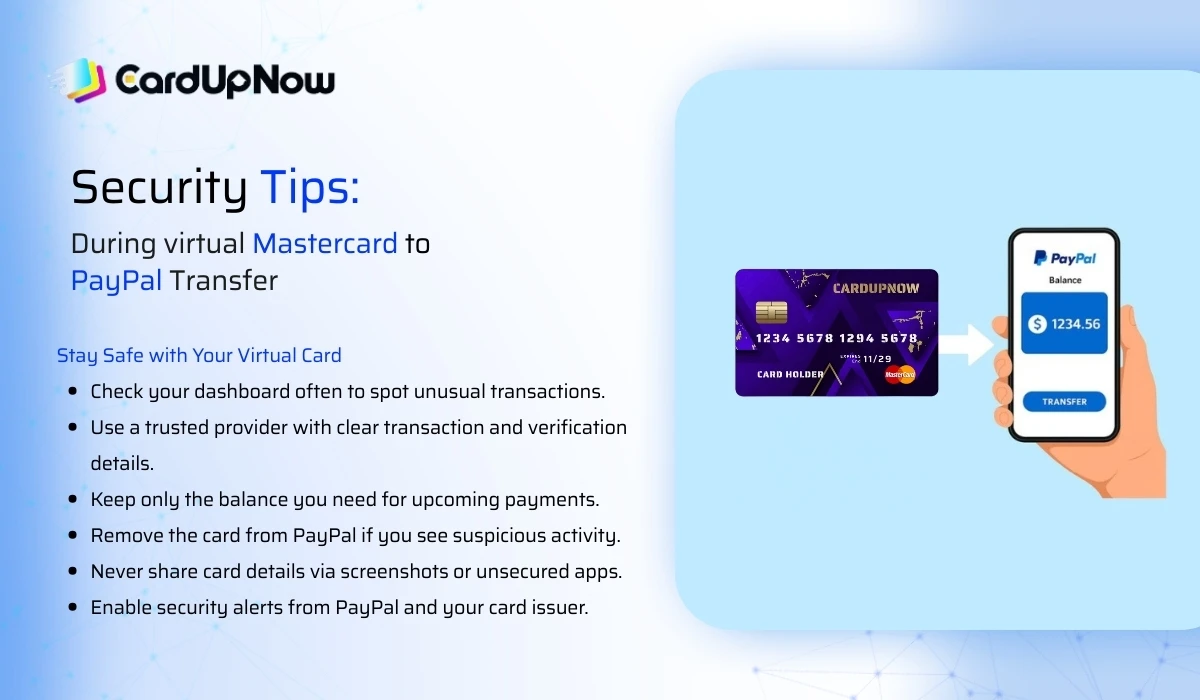
Staying secure while using a virtual Mastercard to PayPal is simple when you follow a few practical habits. These steps help you protect your card information, monitor your payments, and keep your PayPal account safe during everyday use.
- Check your virtual card dashboard often to make sure all transactions are legitimate. Quick reviews help you spot unusual activity before it becomes a problem.
- Use a trusted virtual card provider that shows clear transaction details, pending charges, and verification information. Reliable issuers reduce the chance of failed payments or hidden charges.
- Keep only the balance you need for upcoming payments. Limited funds lower your exposure if your card details are ever compromised.
- Remove the card from PayPal immediately if you notice activity you did not approve. This stops additional attempts and gives you time to secure your account.
- Avoid sharing your virtual card details through screenshots or unsecured messaging apps. Treat the card like you would a physical debit card.
- Enable security notifications from both PayPal and your card issuer so you receive alerts whenever a new transaction occurs.
These simple practices give you stronger control and a safer experience every time you use your virtual Mastercard online.
Final Notes
Connecting your virtual Mastercard to PayPal gives you a flexible and secure way to shop online, manage digital subscriptions, and verify your account. A reliable virtual card provider makes the process smooth and helps avoid verification issues. As long as your virtual Mastercard is active and properly funded, your virtual Mastercard to PayPal setup will support fast and secure payments worldwide.
Ready to simplify your online payments? Get your verified virtual Mastercard from CardUpNow and enjoy fast, secure transactions with PayPal and thousands of global services. Start now and take full control of your digital spending.
FAQ
Can I use a virtual prepaid Mastercard on PayPal?
Yes. Most virtual prepaid Mastercards can be added to PayPal and used for online payments and verification.
Why did PayPal decline my virtual Mastercard?
Common causes are insufficient balance, billing address mismatch, or the card blocking merchant descriptors. Add a small balance, confirm the billing address, and use a reputable issuer.
Can I withdraw PayPal funds to a virtual card?
Usually no. PayPal permits transfers to eligible debit cards or bank accounts. Special PayPal prepaid products may allow transfers. Expect limitations for generic virtual prepaid cards.
Will a virtual card work for subscriptions?
Some do and some do not. Check your card issuer for support of recurring authorizations before relying on a virtual card for ongoing billing.
How long does PayPal verification take?
The temporary charge can appear instantly as pending or take 2–3 business days to show the 4-digit code on the issuer statement. Enter the latest code PayPal issued to confirm.