Mobile payments are no longer just a convenience. For many people, they have become the main way to pay online and in physical stores. Google Pay plays a big role in this shift, allowing users to pay using their smartphones instead of carrying cash or cards. As digital payments grow, many users are now choosing a virtual card for Google Pay to keep their payments faster, safer, and more flexible.
A virtual card works entirely online and fits perfectly with Google Pay’s mobile-first payment system. From daily app purchases to contactless store payments, virtual cards are now being used across many real-life situations. This blog breaks down the most common use cases, explains how to add a virtual card to Google Pay, and highlights what you should know before using one.
Common Use Cases of Virtual Card for Google Pay
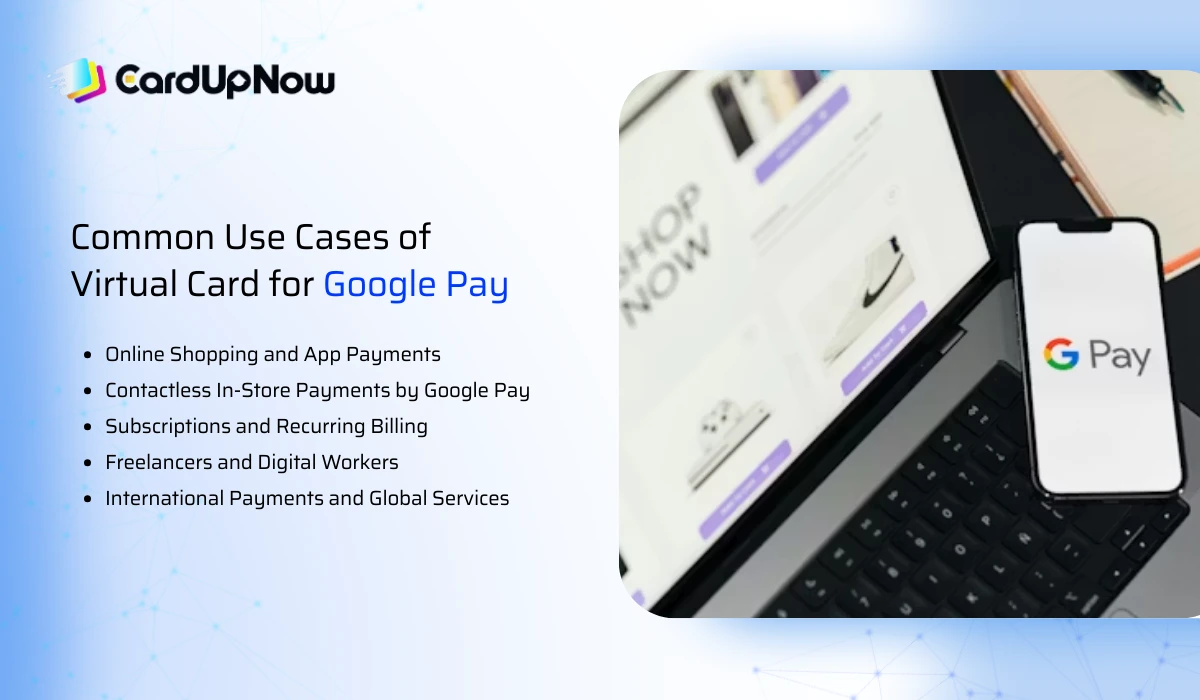
A virtual card for Google Pay is not limited to one specific purpose. People use it for different payment needs, both online and offline, because it offers convenience, control, and better privacy.
Online Shopping and App Payments
One of the most popular use cases of a virtual card for Google Pay is online shopping. Users often link a virtual card to Google Pay to pay for apps, games, and digital services from the Google Play Store. Since the card details are digital, payments become quick and smooth without needing to enter card information every time.
Many users prefer virtual cards for app payments because they can avoid exposing their main bank card details. This becomes especially useful when buying from new apps or platforms that the user does not fully trust. A virtual card connected to Google Pay keeps the real card details protected while still allowing seamless payments.
Contactless In-Store Payments by Google Pay
Virtual cards are also widely used for contactless payments in physical stores. Once added to Google Pay, the virtual card can be used to tap and pay at NFC-enabled terminals. This allows users to pay using their phone without carrying a wallet or physical card.
For daily expenses like groceries, cafes, and local stores, using a virtual card for Google Pay makes checkout faster. The phone acts as the payment tool, and the transaction is completed securely through Google Pay’s system. Many users find this helpful when traveling light or managing multiple cards digitally.
Subscriptions and Recurring Billing
Subscriptions are another major reason people choose a virtual card for Google Pay. Services like YouTube Premium, Google One, music streaming apps, and productivity tools often require recurring payments. A virtual card helps manage these subscriptions more effectively.
Users can dedicate a specific virtual card only for subscriptions. This makes it easier to track monthly expenses and control renewals. If a subscription is no longer needed, the virtual card can be paused or replaced without affecting other payments linked to Google Pay.
Freelancers and Digital Workers
Freelancers and remote workers often rely on digital tools, cloud services, and online platforms. Using a virtual card for Google Pay allows them to separate work-related payments from personal spending. This separation makes expense tracking easier and helps maintain better financial organization.
Many freelancers also pay for international tools and services. Virtual cards linked with Google Pay reduce payment friction and lower the chances of card declines. This is especially helpful when paying platforms that charge in foreign currencies.
International Payments and Global Services
Global digital services often require cards that support international transactions. A virtual card for Google Pay is commonly used to pay overseas merchants, SaaS platforms, and online services that operate globally.
Since virtual cards are designed for online usage, they tend to work well with international merchants. When combined with Google Pay, the payment process becomes even smoother. This use case is popular among digital entrepreneurs, online shoppers, and people who frequently use global platforms.
How to Add a Virtual Card to Google Pay
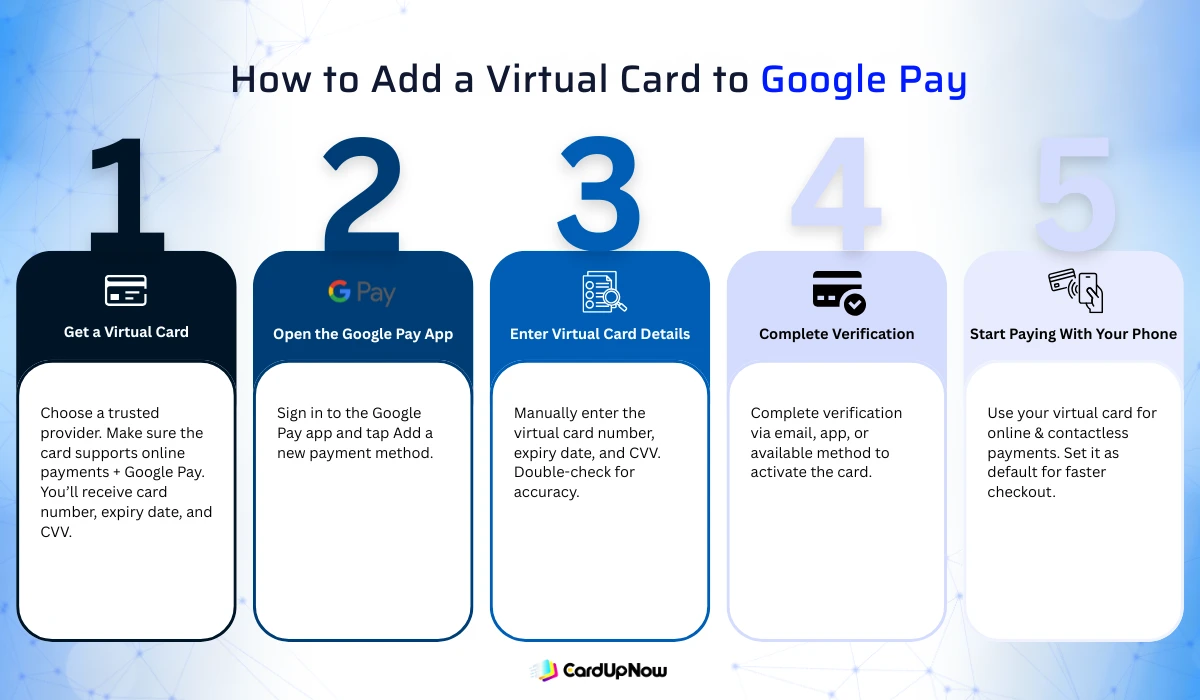
Adding a virtual card to Google Pay is a straightforward process. The steps below explain how users typically set up their virtual card for daily use.
Step 1: Get a Virtual Card
The first step is to obtain a virtual card from a trusted provider. The card should support online payments and be compatible with Google Pay. Once issued, the virtual card details will include a card number, expiry date, and CVV.
Before moving forward, users should confirm that the virtual card supports Google Pay integration. Not all virtual cards are eligible, so checking this early helps avoid issues later.
Step 2: Open the Google Pay App
After getting the virtual card, open the Google Pay app on your smartphone. Make sure you are signed in with your Google account. Inside the app, navigate to the option for adding a new payment method.
Google Pay provides a clear interface for adding cards, making the process easy even for first-time users.
Step 3: Enter Virtual Card Details
At this stage, enter the virtual card number, expiry date, and CVV exactly as provided. Since the card is digital, there is no need to scan a physical card. All details are entered manually.
Double-check the information to ensure accuracy. Incorrect details can cause verification issues during setup.
Step 4: Complete Verification
Google Pay may require verification to confirm card ownership. This verification can happen through email, app notification, or another supported method. Follow the on-screen instructions carefully to complete this step.
Once verified, the virtual card becomes active inside Google Pay and is ready for use.
Step 5: Start Paying With Your Phone
After successful setup, the virtual card can be used for online payments and contactless transactions. Users can also set the virtual card as the default payment option inside Google Pay for quicker checkout.
From this point, payments can be made directly through the phone without entering card details again.
Virtual Card for Google Pay vs Physical Card
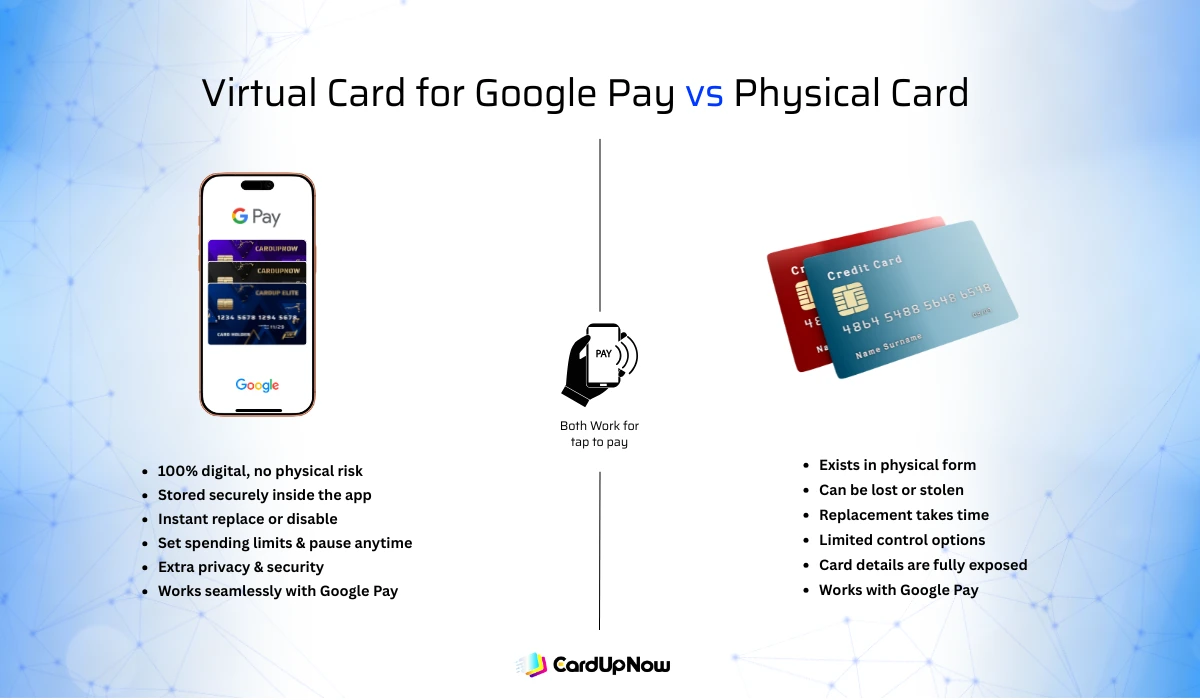
A virtual card for Google Pay offers several differences compared to a traditional physical card. Virtual cards exist only in digital form, which reduces the risk of loss or theft. Physical cards can be misplaced, while virtual cards stay securely inside the app.
Virtual cards also give users more control. They can be replaced easily if compromised, and many providers allow spending limits or card pausing. Physical cards usually require longer replacement processes.
When used with Google Pay, both card types work, but virtual cards add an extra layer of privacy and flexibility. This makes them a preferred choice for online-focused users.
Can You Use a Virtual Card on Google Pay Safely
Security is one of the biggest reasons people choose a virtual card for Google Pay. Google Pay uses tokenization, which means the actual card number is not shared with merchants during transactions. Instead, a secure token is used to process payments.
Virtual cards already limit exposure because they are not tied directly to a physical card. When combined with Google Pay’s security system and device-level protection, the overall payment experience becomes safer.
Users also benefit from instant card management. If suspicious activity occurs, the virtual card can be replaced without disrupting other cards or accounts.
How CardUpNow Virtual Cards Work With Google Pay
CardUpNow virtual cards are designed for modern digital payments. Users can access virtual cards quickly and manage balances through a simple dashboard. These cards are suitable for online purchases, subscriptions, and mobile payments through Google Pay.
CardUpNow focuses on ease of use and privacy. Virtual cards can be used without unnecessary complexity, making them a practical option for users who want flexible digital payments. When linked with Google Pay, CardUpNow virtual cards support daily spending, contactless payments, and global services in one place.
Things to Know Before Using a Virtual Card on Google Pay
Before using a virtual card for Google Pay, users should ensure their device supports NFC for contactless payments. Google Pay availability can also vary by region, so checking local support is important.
Spending limits and merchant acceptance may depend on the virtual card provider. Some merchants may not accept prepaid or virtual cards, although this is becoming less common. Keeping these points in mind helps avoid payment interruptions.
FAQs Of Virtual Card For Google Pay
Can I use a virtual card for Google Pay contactless payments?
Yes, once added to Google Pay, a virtual card can be used for tap-to-pay at NFC-enabled terminals.
Why does Google Pay reject some virtual cards?
Rejection usually happens if the virtual card does not support Google Pay or fails verification requirements.
Are virtual cards accepted everywhere Google Pay works?
Most places that accept Google Pay support virtual cards, though some merchants may have restrictions.
Can I remove a virtual card from Google Pay anytime?
Yes, virtual cards can be removed or replaced inside the Google Pay app whenever needed.
Conclusion
Using a virtual card for Google Pay gives users more control, privacy, and flexibility in their daily payments. From online shopping and subscriptions to contactless store purchases, virtual cards fit naturally into modern digital lifestyles. With easy setup and strong security features, they offer a smart way to pay without relying on physical cards.
As mobile payments continue to grow, virtual cards combined with Google Pay provide a practical solution for managing money in a fast and digital world.